Wayfarer Setup Guide
Complete Setup Checklist for Wayfarer Sync & Tools
✅ Setup Checklist for Wayfarer Sync
1. Install Tampermonkey
- Go to Tampermonkey website
- Download and install it for your browser (Chrome, Firefox, etc.)
- Make sure Tampermonkey is enabled in your browser extensions
2. Install Required User Scripts
Open each link one by one.
When Tampermonkey asks, click Install.
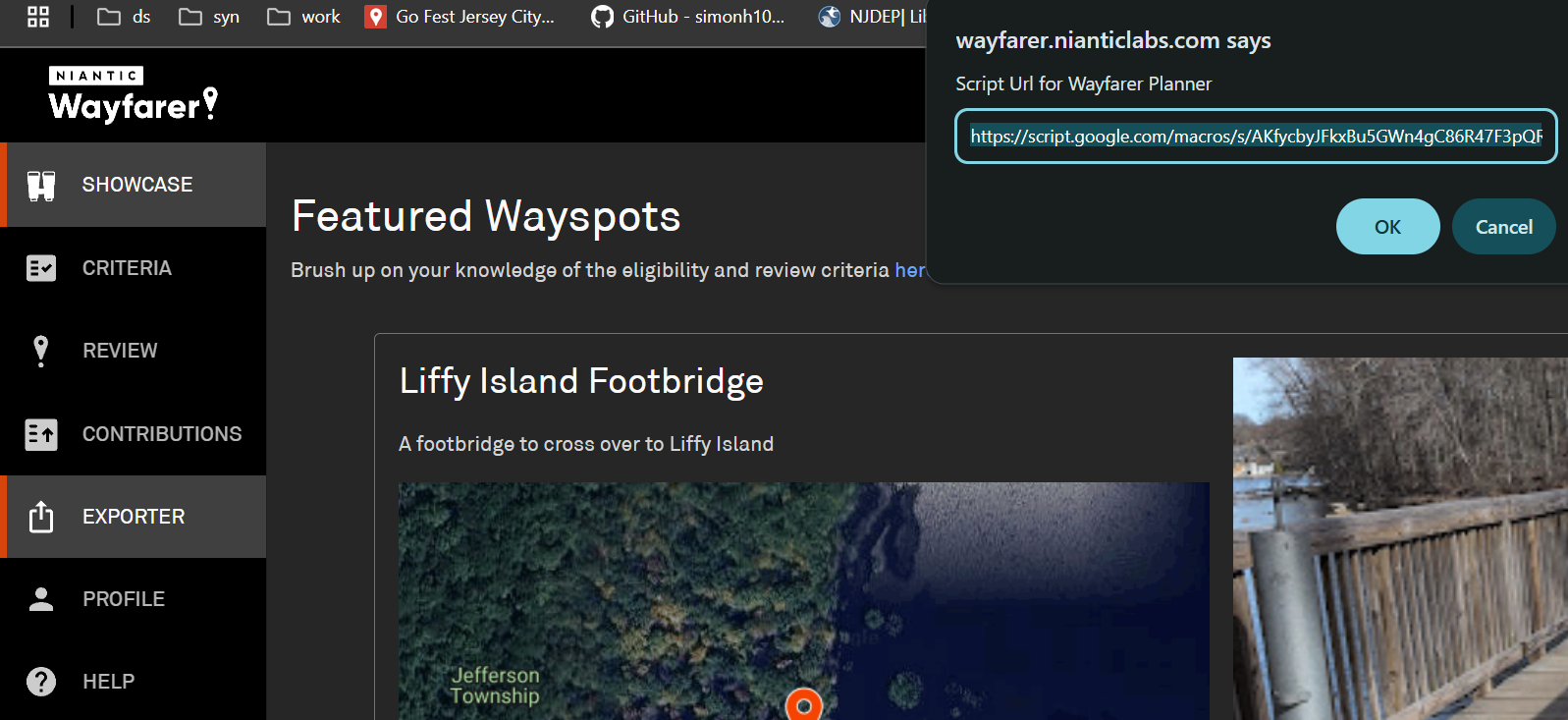
3. Configure Wayfarer Exporter
- Go to Wayfarer and log in
- Find the Exporter tab (added by the script)
- Paste this link into the Exporter:
https://script.google.com/macros/s/AKfycbyJFkxBu5GWn4gC86R47F3pQR1O7gJzpdkmKpDjFONNjmSwR3TatiamE6SqXDBi8faVXQ/exec
4. Configure IITC (Intel Map)
- Go to Intel Map
- Make an account
- In the menu, go to Wayfarer & paste the same link:
https://script.google.com/macros/s/AKfycbyJFkxBu5GWn4gC86R47F3pQR1O7gJzpdkmKpDjFONNjmSwR3TatiamE6SqXDBi8faVXQ/exec
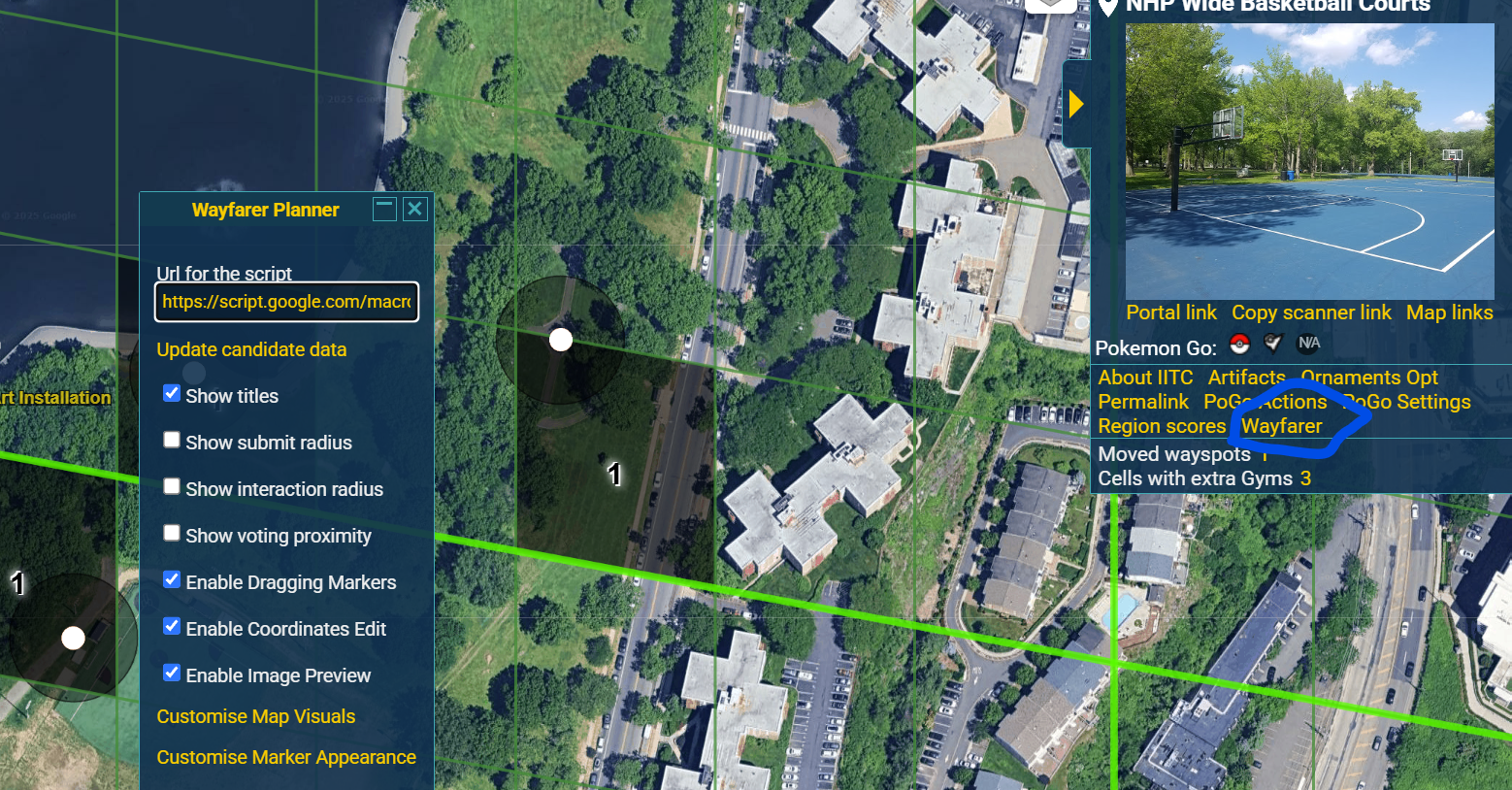
- In the menu, go to PoGo Actions, click on Import Gyms & Pokestops
- Import the latest Pokéstops from this file: IITC-pogo (18).json

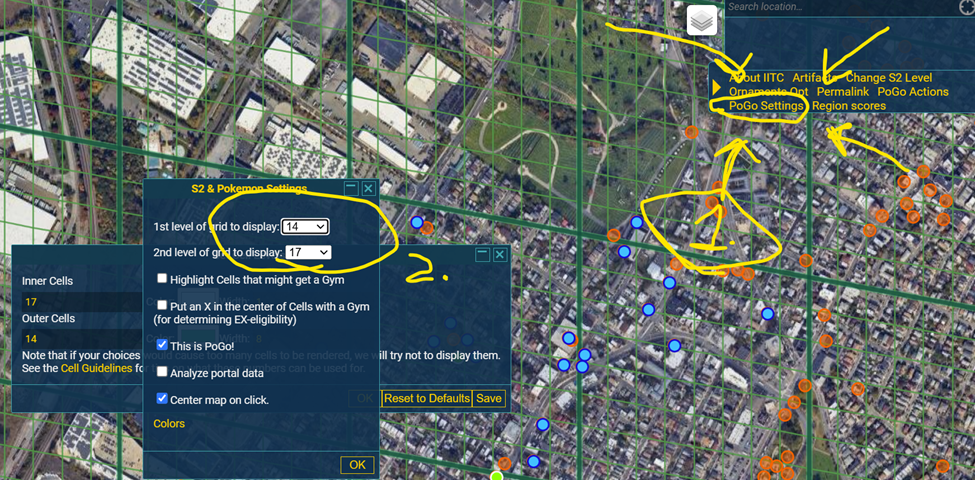
- In the menu, go to PoGo Settings, and use these settings: