
Setup Checklist
1. Install Tampermonkey
- Go to Tampermonkey
- Install it for your browser (Chrome, Firefox, Edge, etc.)
- Confirm Tampermonkey is enabled in your extensions
2. Install the Wayfarer Map Mods Plugin (only script you need)
Updated and packaged Wayfarer tools by Tntnnbltn. This one Tampermonkey install loads the tools you need. Full set: Wayfarer.tools.
- Open this link and click Install when Tampermonkey asks:
wayfarer-map-mods.user.js
3. Open the Wayfarer Map & enable plugins
- Go to Wayfarer Map and log in
- Refresh the page after installing the script
- Click Plugins in the bottom-right panel
- Enable the bundled tools you need (especially S2 Cells, Draw Tools, Contributions Overlay) and click Save
Map: https://wayfarer.scopely.com/new/mapview?z=4
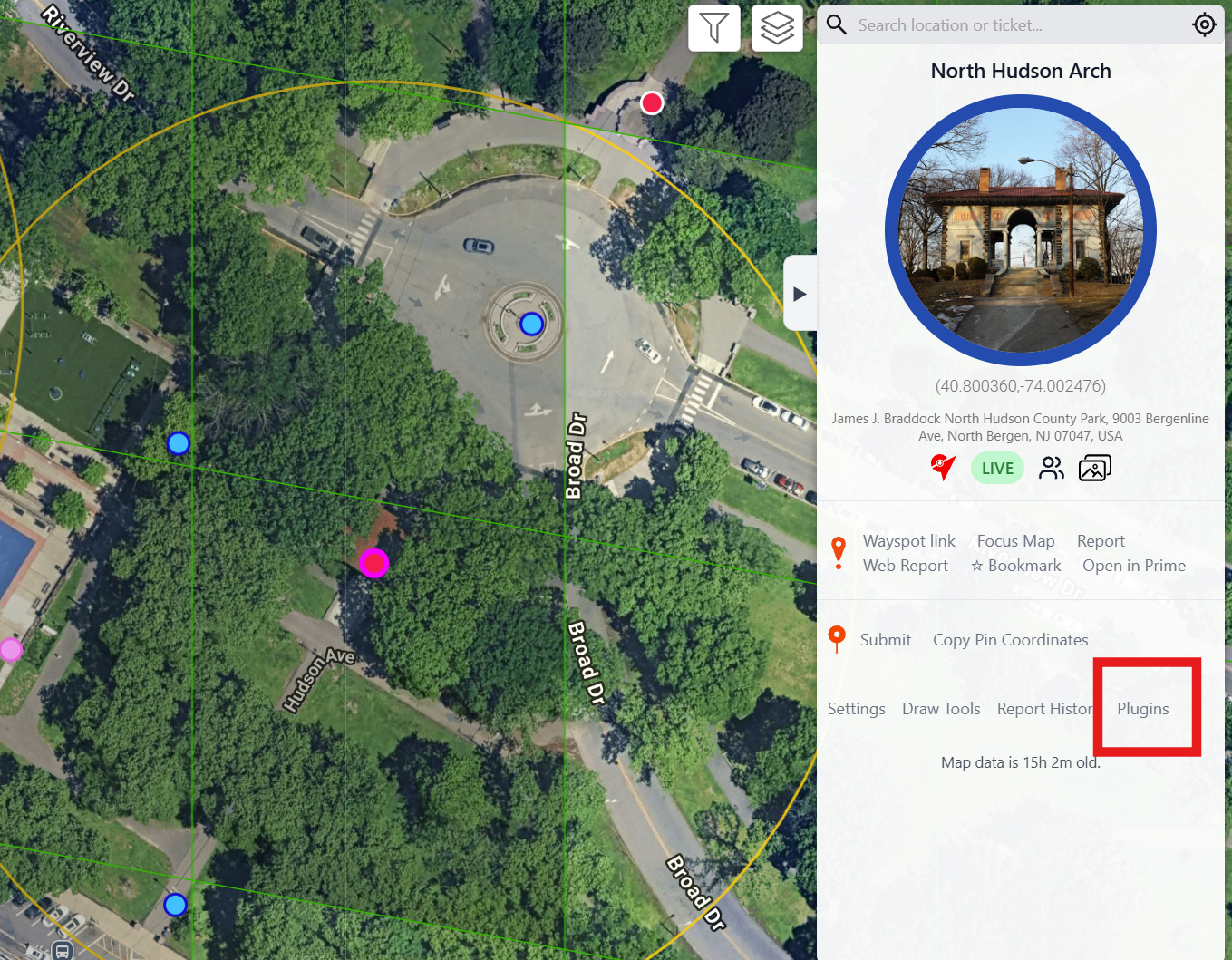
Plugins button in the map sidebar
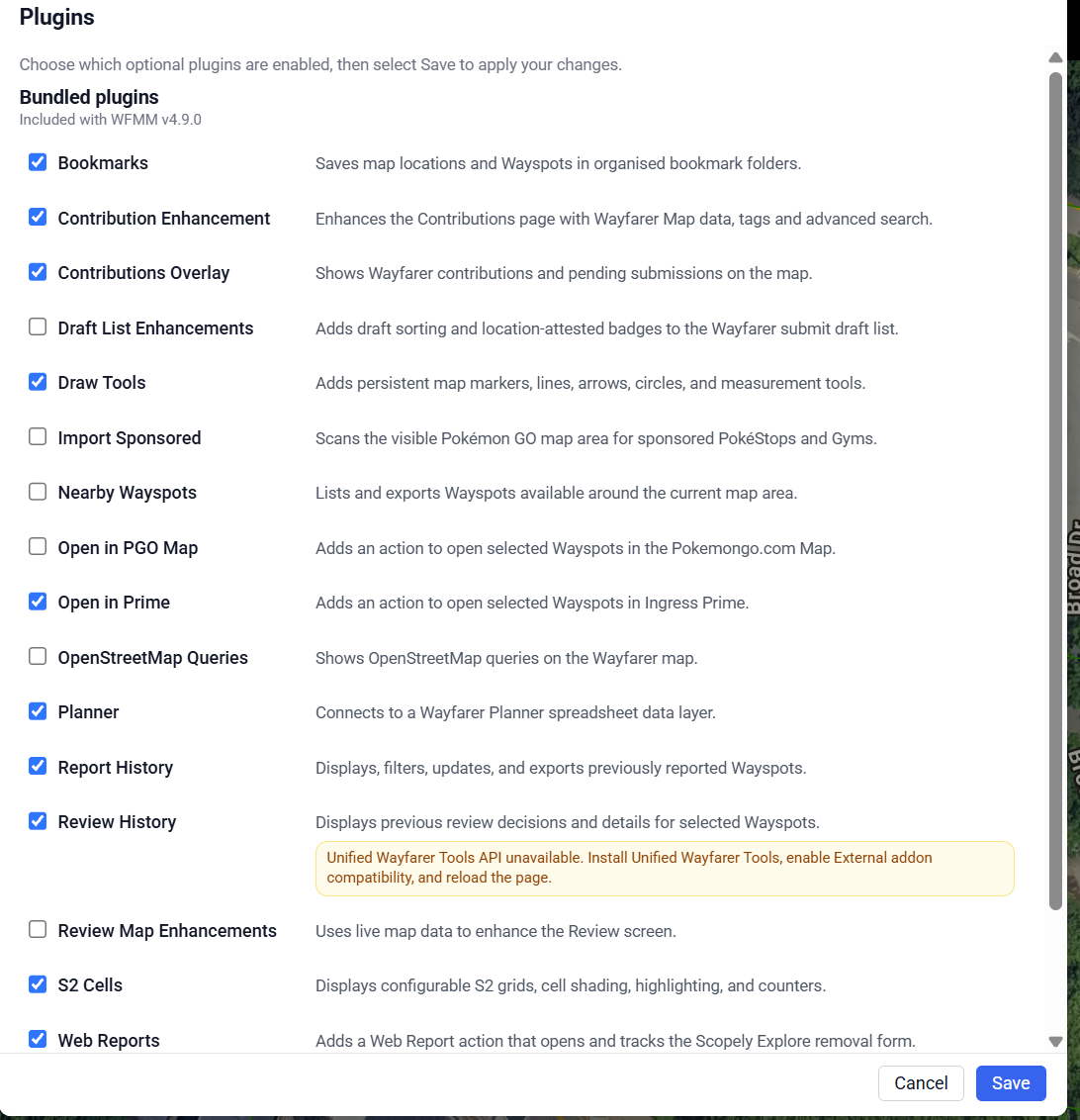
Plugins checklist — turn on S2 Cells, Draw Tools, and related overlays
Using the Map
Map already shows PokéStops
The Wayfarer map includes existing PokéStops / Wayspots.
- Submissions from the game or website sync onto the map
- Statuses such as denied, appealed, and live show up so you can track nominations
- You can place markers to plan where you want to nominate next
- The center of each S14 cell shows a number — how many more PokéStops are needed before the next Gym threshold in that cell
Photo galleries, votes & cell numbers
Wayspots show photo galleries with upvote counts. When a cell hits a Gym threshold, the PokéStop with the strongest photo / vote presence in that S14 cell is usually the one that upgrades to a Gym.
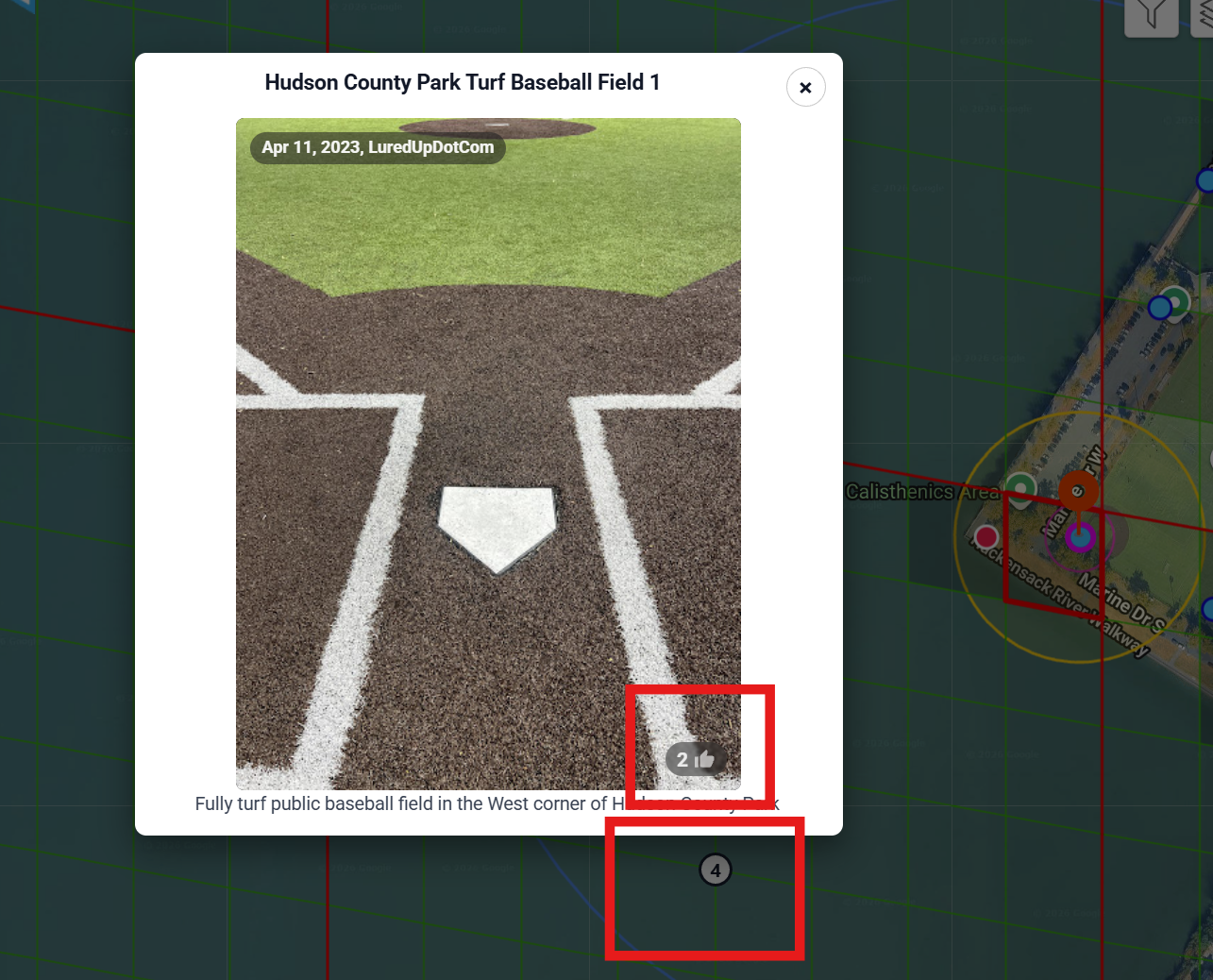
Example: photo upvote count on a Wayspot, and the number in the cell center (PokéStops needed until the next Gym)
S2 cells (quick version)
- S17 (small): at most 1 PokéStop can appear. A second submission in the same S17 usually will not show in-game as a stop.
- S14 (large = 8×8 S17s): Gyms are decided here. Max 3 Gyms per S14. The number in the cell center = PokéStops needed until the next Gym threshold.
Gym thresholds (S14)
You cannot nominate a Gym directly. Gyms appear from PokéStop density inside an S14 cell (approximate):
- 2 PokéStops → 1 Gym
- 6 PokéStops → 2 Gyms
- 20 PokéStops → 3 Gyms
Nomination Basics
Good candidates
- Public art (murals, sculptures, statues)
- Historical / cultural sites (libraries, memorials, trail markers)
- Community spots that are permanent, safe, and pedestrian-accessible
Usually rejected
- Private residences / yards
- K–12 schools and daycares
- Unsafe or restricted areas (highways, tracks, etc.)
- Temporary or generic objects (seasonal displays, mailboxes, streetlights)
Nominate from Pokémon GO (Main Menu → Settings → New PokéStop) once you meet the level requirement, or manage reviews / map work on the Wayfarer site. Clear daytime photos, accurate pins, and a short “why this place matters” description help reviews.